
Is your Shark vacuum not picking up dirt like it used to? One common culprit is a worn or broken belt.
If you’ve noticed your vacuum’s brush roll has stopped spinning or the suction feels weaker, changing the belt might be exactly what your vacuum needs to get back to peak performance. Don’t worry—replacing the belt on your Shark vacuum is easier than you think, and you don’t need to be a repair expert to do it.
You’ll find simple, step-by-step instructions to help you quickly access and replace your vacuum belt. Keep reading, and you’ll have your Shark vacuum running smoothly again in no time.
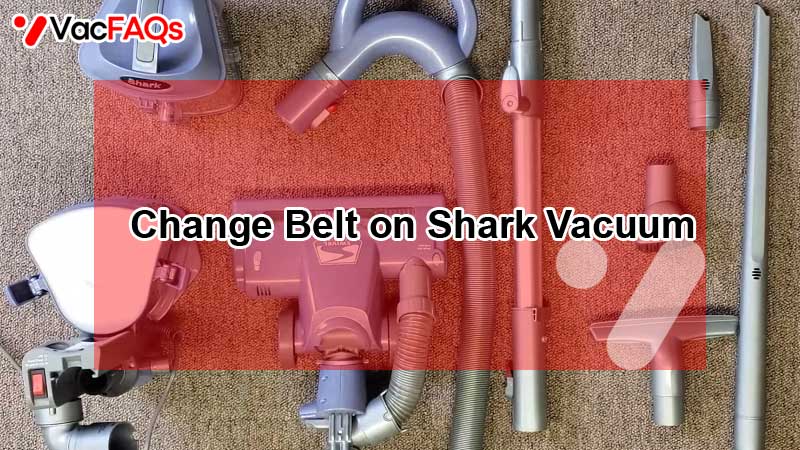
Tools And Materials Needed
Changing the belt on a Shark vacuum requires a few basic tools and materials. Having everything ready makes the task easier and faster. It also helps prevent damage to your vacuum during the process.
Below is a list of the main tools and materials needed. These items are common and easy to find. Preparing them beforehand ensures a smooth belt replacement.
Replacement Belt
Choose the correct belt model for your Shark vacuum. Using the right belt ensures proper fit and function. Check your vacuum’s manual or model number to find the exact belt type.
Screwdriver
A Phillips head screwdriver is usually needed to remove screws. Some models may require a flathead screwdriver. Use the screwdriver to open the vacuum’s brush cover carefully.
Flathead Tool Or Pry Tool
A flathead screwdriver or a plastic pry tool helps to unlock clips or tabs. These tools allow gentle prying without damaging the vacuum housing. Avoid using sharp metal tools that may scratch the plastic.
Cleaning Brush Or Cloth
Use a small brush or cloth to clean hair and dust from the brush roll area. Cleaning helps the belt and brush roll work smoothly. It also extends the vacuum’s life.
Work Gloves (optional)
Wearing gloves protects your hands from dirt and sharp edges. Gloves also provide better grip when handling small parts.
Safety Precautions
Changing the belt on your Shark vacuum requires care and attention. Safety precautions protect you from injury and prevent damage to the vacuum.
Always follow the correct steps and use the right tools. This section guides you through important safety tips for a smooth belt replacement.
Unplug The Vacuum Before Starting
Always disconnect the vacuum from the power outlet. This stops any accidental start while working on the vacuum. It keeps you safe from electric shock and moving parts.
Use Proper Tools
Use tools made for small repairs, like screwdrivers and spudgers. Avoid using sharp or heavy tools that may break parts or cause injury. Handle tools carefully to prevent slips.
Work In A Clean, Well-lit Area
Choose a tidy workspace with good lighting. This helps you see small parts clearly and avoid losing screws or belts. A clean area also lowers the chance of accidents.
Handle Parts Gently
Be gentle when opening the vacuum cover and removing parts. Avoid forcing anything as it may break clips or plastic pieces. Check for hidden screws before pulling parts apart.
Keep Children And Pets Away
Keep your workspace free from children and pets. Small parts can be choking hazards. A quiet space helps you focus and finish the job safely.
Accessing The Belt Compartment
Accessing the belt compartment on your Shark vacuum is the first step to replacing a worn or broken belt. This area houses the brush roll and the belt that drives it. Proper access allows you to inspect and change the belt safely and efficiently. Follow these simple steps to open the compartment without causing damage.
Turning Vacuum Upside Down
Place the vacuum on a flat surface. Turn it upside down carefully. This position gives clear access to the bottom plate. Ensure the vacuum is unplugged before flipping it over. The brush roll and belt compartment will now be visible.
Releasing The Brush Roll Cover
Locate the locking tabs or side buttons on the cover. Use your fingers or a coin to press or turn these tabs. Gently lift the cover off to avoid breaking the clips. Some models may have screws to remove first. Keep all parts safe for reassembly.
Removing Wheels And Caps
Check if the wheels block the cover removal. Remove the wheels by pulling or unscrewing them. Some caps may cover screws; pry them off carefully. Use a flathead screwdriver if needed, but avoid forcing parts. Removing wheels and caps helps fully open the belt compartment.
Removing The Old Belt
Removing the old belt from your Shark vacuum is the first step in keeping it running well. This process lets you access the belt area safely and prepares your vacuum for a new belt. Proper removal helps avoid damage and ensures the vacuum works efficiently.
Cleaning Debris And Hair
Start by turning the vacuum head upside down. Look closely at the brush roll and belt area. Remove any hair tangled around the brush roll. Use a pair of scissors or your fingers to clear debris carefully. Clean all dust and dirt to prevent future belt problems. A clean area helps the new belt fit properly and last longer.
Inspecting Belt Condition
Next, check the belt for cracks or breaks. Look for signs of wear like stretching or fraying. A worn belt can reduce suction and brush roll speed. If the belt looks loose or damaged, it must be replaced. Removing the old belt carefully avoids harming the brush roll or motor parts. Keep the vacuum parts safe for easy reassembly.
Installing The New Belt
Installing the new belt on your Shark vacuum is a key step to restore its cleaning power. The process requires careful placement to ensure the belt fits perfectly on the components. Proper installation helps the brush roll spin smoothly and pick up dirt effectively.
Take your time to position the belt correctly. A misaligned belt can cause poor performance or damage. Follow the steps below to install the new belt with ease.
Positioning On Motor Spindle
Start by locating the motor spindle inside the vacuum head. Slide the new belt onto the spindle carefully. Make sure the belt sits flat and snugly around the spindle. Avoid twisting or stretching the belt too much. Proper placement here ensures the belt drives the brush roll correctly.
Securing On Brush Roller
Next, loop the belt over the brush roller’s cog or groove. Align the belt so it stays centered on the roller. Check that the belt tension feels firm but not too tight. The brush roller should turn freely with the belt in place. Secure any clips or covers to keep the belt from slipping out during use.
Reassembling The Vacuum
After replacing the belt on your Shark vacuum, reassembling the vacuum is the next step. This process restores the vacuum to full working order. Follow each step carefully to ensure all parts fit back properly. Proper reassembly keeps the vacuum running smoothly and extends its lifespan.
Replacing Screws And Clips
Start by aligning the vacuum parts as they were before disassembly. Insert all screws into their original holes. Use a screwdriver to tighten them firmly but avoid over-tightening. Next, snap any clips back into place. Check that each clip locks securely. Missing screws or loose clips can cause the vacuum to malfunction.
Testing Functionality
Plug the vacuum into a power outlet. Turn it on and listen for unusual sounds. Watch the brush roll to see if it spins smoothly. Check suction to confirm proper operation. If the vacuum does not work correctly, recheck belt placement and screw tightness. Testing now saves time and prevents further damage later.
Model-specific Instructions
Changing the belt on a Shark vacuum varies by model. Each design has unique steps to follow. Understanding model-specific instructions helps avoid damage. These tips make the process quicker and easier. Focus on your vacuum’s model for best results.
Duoclean Belt Replacement
The DuoClean system uses two rollers and a special belt. Start by unplugging the vacuum. Turn the vacuum head upside down. Press the soft roller release button to remove the soft roller. Remove the brush roll cover by unlocking the green tabs. Slide off the brush roll carefully. Remove the old belt from the motor shaft and brush roll. Place the new belt around the motor shaft first. Then, loop it around the brush roll gear. Reinstall the brush roll and cover. Press the soft roller back into place until it clicks.
Rotator Belt Access Tips
Rotator models may hide screws under wheels or covers. Remove the wheels gently to find hidden screws. Use a screwdriver to open the brush roll cover. Take out the brush roll and old belt carefully. Clean debris from the brush roll and belt area. Fit the new belt on the motor spindle and brush roll gear. Rotate the brush roll to ensure the belt fits well. Replace the cover and wheels securely. Check that all parts are locked before use.
Troubleshooting Common Issues
Troubleshooting common issues with your Shark vacuum belt can save time and frustration. Identifying problems early helps maintain vacuum performance. This section covers key signs and solutions for belt problems. Follow simple steps to keep your vacuum running smoothly.
Belt Snapped Indicators
A snapped belt causes poor brush roll movement. Watch for these signs:
- Vacuum loses suction power.
- Brush roll does not spin.
- Unusual noises from the vacuum head.
- Burning smell near the brush area.
Check the belt by removing the vacuum head cover. If broken, replace it immediately. Using a damaged belt can harm the motor.
Handling Stuck Covers
Some Shark vacuum models have tight or stuck covers. Use these tips:
- Ensure the vacuum is unplugged before starting.
- Locate the locking tabs or buttons to release the cover.
- Use a flathead screwdriver gently to pry open clips.
- Avoid forcing the cover, which may cause damage.
Patience and careful handling make belt replacement easier and prevent breakage.
When To Repair Vs Replace
Deciding whether to repair or replace the belt on your Shark vacuum can save time and money. Knowing the signs of wear and tear helps you choose the best option. Some issues are easy to fix at home, while others need professional attention or a full replacement. Understanding these differences keeps your vacuum working well.
Simple Fixes Worth Doing
Replacing a broken belt is a common and simple fix. Belts usually wear out after months of use. Check for cracks or stretching before buying a new one. Cleaning hair and debris from the brush roll improves performance. Tightening loose parts can also help. These small steps often restore your vacuum’s suction power quickly.
Complex Repairs To Avoid
Avoid fixing internal motor problems yourself. Complex electrical or mechanical faults need expert repair. Trying to fix these can damage your vacuum further. If the belt keeps breaking after replacement, the brush roll or motor might be faulty. In such cases, replacing the vacuum is often more cost-effective. Always consider the age and condition of your machine before investing in repairs.
Additional Resources
Finding reliable and clear information can make changing the belt on your Shark vacuum easier. Additional resources offer step-by-step help and visual guides. They help you understand the process and avoid common mistakes. These tools are perfect for beginners and those who prefer hands-on learning.
Helpful Youtube Tutorials
YouTube has many videos showing how to replace Shark vacuum belts. These tutorials often show the exact steps for different Shark models. Watching these videos gives a clear view of what to expect. Some channels explain how to open the vacuum head and remove the belt safely. Others show tips for handling tricky parts and reassembling the vacuum. Videos by users like AndrewLeigh and Kimberly Meloche are popular for their easy instructions. Use search terms like “Change Belt on Shark Vacuum” to find these helpful guides.
Ifixit Repair Guides
iFixit offers detailed repair guides with photos and written steps. Their guides break down the process into simple actions. You can follow along at your own pace. iFixit also provides tips on tools needed and safety advice. The guides cover various Shark vacuum models, so you can find one that matches yours. These guides are free and updated regularly. They help ensure you do the job right and keep your vacuum working well.
Frequently Asked Questions
How Do I Get To The Belt On A Shark Vacuum?
Unplug the Shark vacuum. Flip it upside down. Release the bottom plate using green tabs or side buttons. Remove wheels or caps if needed. Pry open the housing carefully. Access the belt near the brush roll for inspection or replacement.
Reassemble securely.
Are Shark Vacuums Worth Repairing?
Shark vacuums are worth repairing for simple issues like clogs or filter cleaning. Complex motor or cord repairs can be costly. Repairing older models often costs more than replacement. Check warranty status before deciding. Regular maintenance saves money and extends vacuum life.
Can You Replace A Belt Yourself?
Yes, you can replace a belt yourself by unplugging the vacuum, removing the brush cover, swapping the belt, and reassembling carefully. Follow model-specific instructions for best results.
Why Is My Shark Lift Away Brush Not Spinning?
Your Shark Lift Away brush may not spin due to a broken or loose belt, debris blocking the brush, or motor issues. Check and replace the belt, clean hair and dirt, and ensure the brush is properly attached to restore spinning function.
How Do I Access The Belt On A Shark Vacuum?
Unplug the vacuum and turn the head upside down. Unlock the cover using green tabs or side buttons. Remove wheels or caps if needed to open the brush roll housing.
Conclusion
Replacing the belt on your Shark vacuum keeps it working well. It improves cleaning and extends the vacuum’s life. Follow the steps carefully for a smooth repair. Use simple tools and take your time. If the belt breaks again, check for blockages or worn parts.
Regular belt changes save money and avoid new vacuum costs. Keep your Shark vacuum ready for daily use. Maintenance is easy and helps your home stay clean. Try it yourself and enjoy better vacuum performance today.

Brandy A. Cherney lovingly refers to herself as a cleaning geek, born and bred in South Carolina but moved to New York City to earn her B.A. in English. She is currently a wife, and mother of two children, two cats, and a dog. Brandy has always loved writing, but never thought she would write for a living.