
Every pet owner who uses a robot vacuum dreads one thing: coming home to find the vacuum has run over dog poop. It’s a common problem, and if you own a Shark robot vacuum, you may have already faced this messy situation. It can feel overwhelming. There’s the smell, the mess, and the worry about whether your expensive vacuum is ruined. Don’t panic. With the right steps, you can clean your Shark robot vacuum after a dog poop accident and restore it to working order. This guide will walk you through the process, explain what to do (and what not to do), and help you prevent future disasters.
Understanding The Problem
Robot vacuums like Shark models are designed to keep your floors clean with minimal effort. However, they are not yet smart enough to always avoid pet accidents. If your dog has an accident and the robot vacuum runs over it, the mess can spread throughout your home and deep inside the machine.
Dog poop can quickly get into wheels, brushes, sensors, and even the dustbin. If not cleaned properly, it can cause bad smells, damage internal parts, and lead to health risks for you and your family. The sooner you act, the better.
Immediate Steps: What To Do First
If you discover your Shark robot vacuum has spread dog poop, it’s important to act right away. Here’s what to do as soon as you notice the mess:
- Stop the vacuum immediately. If it’s still running, use the app or press the power button.
- Move it away from the mess. Carefully pick up the robot (wear gloves) and place it on an easy-to-clean surface.
- Turn off the robot. Unplug it from the charger to avoid electric shock.
- Assess the situation. Look at the wheels, brushes, dustbin, and sensors. Note where the poop has spread.
- Prepare your cleaning area. Use old newspapers, towels, or plastic sheets to protect your surfaces.
It’s crucial not to run the vacuum again until it’s fully cleaned. This prevents further spread and damage.
Tools And Supplies You’ll Need
Before you start, gather these supplies. Having everything ready will make the process smoother and safer:
- Disposable gloves (nitrile or latex)
- Paper towels and old rags
- Mild dish soap
- Warm water
- Soft brushes (like old toothbrushes)
- Cotton swabs
- Disinfectant wipes (pet-safe)
- Small bucket or basin
- Screwdriver (for removing parts)
- Trash bags
- Q-tips for tight spots
Some optional, but helpful items:
- Compressed air canister (for cleaning sensors)
- White vinegar (diluted for odors)
- Face mask (if the smell is strong)
- Tweezers (for stubborn debris)
Step-by-step Cleaning Guide
Let’s break down the process so you can clean your Shark robot vacuum thoroughly and safely.
1. Safety First
Always wear gloves during the entire process. Dog feces can carry bacteria, parasites, and viruses. Do not touch your face, and make sure to wash your hands well after finishing.
Unplug the vacuum and remove the battery if possible (check your model’s manual for instructions). This will protect you from electric shocks and prevent accidental startup.
2. Remove And Clean The Dustbin
The dustbin is the first place to start. It often collects most of the mess.
- Take out the dustbin and empty it into a trash bag.
- Rinse the bin with warm, soapy water. Scrub with a soft brush if needed.
- Check for any stuck debris or residue. Remove it with paper towels or brushes.
- Let the dustbin dry completely before reattaching.
3. Clean The Brushes And Rollers
The main brush and side brushes usually pick up a lot of the poop and can spread it further. Here’s how to clean them:
- Remove the main brush/roller from its holder.
- Use paper towels to wipe off large pieces of debris.
- Wash the brushes with warm, soapy water. Scrub gently.
- Use cotton swabs or Q-tips for tight spots.
- Let the brushes air dry completely before reinstalling.
If your Shark vacuum uses a brush roll with bristles and rubber fins, check both for stuck poop. Use tweezers if needed.
4. Clean The Wheels And Axles
Dog poop often gets stuck in the wheels and their axles. This can cause the vacuum to smell and move poorly.
- Wipe wheels with damp paper towels.
- Use a soft brush or old toothbrush to scrub the surface and grooves.
- Spin the wheels to check for hidden debris.
- Use Q-tips or toothpicks for small spaces.
- Dry thoroughly.
5. Wipe Down The Sensors And Exterior
Sensors help your Shark vacuum navigate. If they’re dirty, it can stop working properly.
- Use a damp cloth or disinfectant wipe to clean the exterior.
- Gently wipe the sensors with a cotton swab or soft cloth.
- Avoid getting water inside the vacuum’s body.
- Use compressed air to blow out dust from sensor openings.
6. Disinfect Key Parts
After removing all visible debris, disinfect the dustbin, brushes, and any other washable parts.
- Use pet-safe disinfectant wipes.
- Wipe surfaces and let them air dry.
- Do not use strong chemicals that could damage plastic or rubber.
7. Clean The Mop (if Your Model Has One)
Some Shark robot vacuums include a mopping feature.
- Remove the mop cloth and wash it in hot, soapy water.
- Let it dry completely.
- Disinfect the mop pad holder with a wipe.
8. Clean The Charging Base
If the vacuum tracked poop to the charging base, clean it as well.
- Unplug the base before cleaning.
- Wipe with a damp cloth and disinfect.
- Dry thoroughly before plugging back in.
9. Deep Clean The Robot Interior (if Necessary)
If dog poop got inside the vacuum’s body, a deeper clean is needed. Only do this if you’re comfortable opening electronics.
- Use a screwdriver to carefully remove the bottom panel.
- Gently clean inside with paper towels and Q-tips.
- Avoid touching wires or circuit boards.
- Do not use water inside the vacuum body.
- Reassemble carefully.
If you see a lot of internal contamination, consider contacting Shark support for professional cleaning.

Credit: www.reddit.com
Real-world Example
A 2021 survey by a pet owners’ forum found that over 30% of robot vacuum users have faced a pet poop accident. The most common issues reported were:
- Smell that wouldn’t go away even after cleaning
- Wheels getting stuck or losing traction
- Sensors malfunctioning after being smeared
In many cases, users who cleaned their machines quickly and thoroughly were able to save their robot vacuums. Those who delayed cleaning often needed to replace parts.
Data: What Parts Get Dirtiest
Here’s a look at which parts of a Shark robot vacuum are most affected by dog poop incidents, based on user reports:
| Part | Frequency of Contamination (%) | Difficulty to Clean (1-5) |
|---|---|---|
| Main brush/roller | 78 | 4 |
| Side brushes | 60 | 3 |
| Wheels | 72 | 4 |
| Dustbin | 55 | 2 |
| Sensors | 29 | 3 |
| Internal components | 18 | 5 |
The main brush and wheels are most likely to get dirty and hardest to clean. Plan to spend extra time on these.
Common Mistakes To Avoid
Many people make errors when cleaning their Shark robot vacuum after a dog poop accident. Avoid these to save time and prevent damage.
- Using too much water: Water inside electronics can cause short circuits.
- Not removing all poop: Even a small amount left can cause odors and bacteria growth.
- Forgetting to dry parts: Damp parts can lead to mold or rust.
- Using harsh chemicals: Strong cleaners can damage plastic and sensors.
- Skipping the charging base: If the base is dirty, the vacuum will get dirty again.
A non-obvious mistake: Many users forget to check under the top cover and around the dustbin chamber. Poop can get in these hidden areas and keep the vacuum smelling bad.
How Long Does Cleaning Take?
The time needed depends on how much of the vacuum is affected. Here’s a rough breakdown:
| Contamination Level | Time Required | Actions Needed |
|---|---|---|
| Light (just brushes and bin) | 20–30 minutes | Disassemble, wash, dry |
| Medium (wheels, sensors too) | 40–60 minutes | Extra cleaning, disinfecting |
| Heavy (internal parts) | 1–2 hours | Partial disassembly, deep clean |
Patience is key. Rushing can leave behind residue or moisture.

Credit: nypost.com
Disposing Of Waste Safely
All waste, including poop, used towels, and gloves, should be sealed in a trash bag and thrown away immediately. Wash your hands thoroughly with soap and warm water after finishing.
If you used a bucket or basin, clean it with disinfectant before using it again.
What To Do If Smell Remains
Sometimes, even after cleaning, a bad smell lingers. Here’s how to handle it:
- Let all parts dry completely in fresh air.
- Clean again with a mixture of white vinegar and water (1: 1 ratio). Wipe, then dry.
- Place a small open box of baking soda near the vacuum (not inside it) to absorb odors.
- Check for missed spots—especially under covers and around the wheels.
If the smell does not go away after several cleanings, the contamination may be deep inside. Contact Shark customer support for advice or servicing.
When To Replace Parts
Some parts may not be fully salvageable after a severe dog poop accident. Here’s when to consider replacing:
- Brushes: If they still smell or look stained after cleaning.
- Filters: If they got wet or dirty, replace them with new ones.
- Mop pads: Replace if stains or odors remain.
- Dustbin: If you see cracks or hard-to-remove residue.
Most Shark robot vacuums have affordable replacement parts available online.
Preventing Future Accidents
The best way to avoid this problem is to prevent it. Here are proven steps:
- Check your floors before running the vacuum. A quick scan takes seconds.
- Set scheduled runs for times when you’re home so you can stop the vacuum if needed.
- Train your dog to avoid indoor accidents. Consider crate training or bell training.
- Use smart sensors or cameras. Some newer robot vacuums can detect and avoid pet waste, but most Shark models cannot.
- Close doors to rooms where accidents happen often.
An extra tip: Some pet owners place a small “test object” (like a brown sock) in the vacuum’s path to see if it avoids it. This can help you decide if your model is likely to run over poop.
Comparing Shark Robot Vacuums: Are Some Better At Avoiding Poop?
Shark has several robot vacuum models. Some are better at navigation and obstacle detection. Here’s a comparison:
| Model | Obstacle Detection | Camera/Sensor Tech | Pet-Friendly Features |
|---|---|---|---|
| Shark IQ Robot | Basic | Infrared sensors | No specific pet detection |
| Shark AI Robot | Advanced | LIDAR + AI | Better mapping, still no poop detection |
| Shark EZ Robot | Basic | Basic sensors | No pet features |
| Shark Matrix | Improved | AI Laser Navigation | Good obstacle avoidance, still not poop-proof |
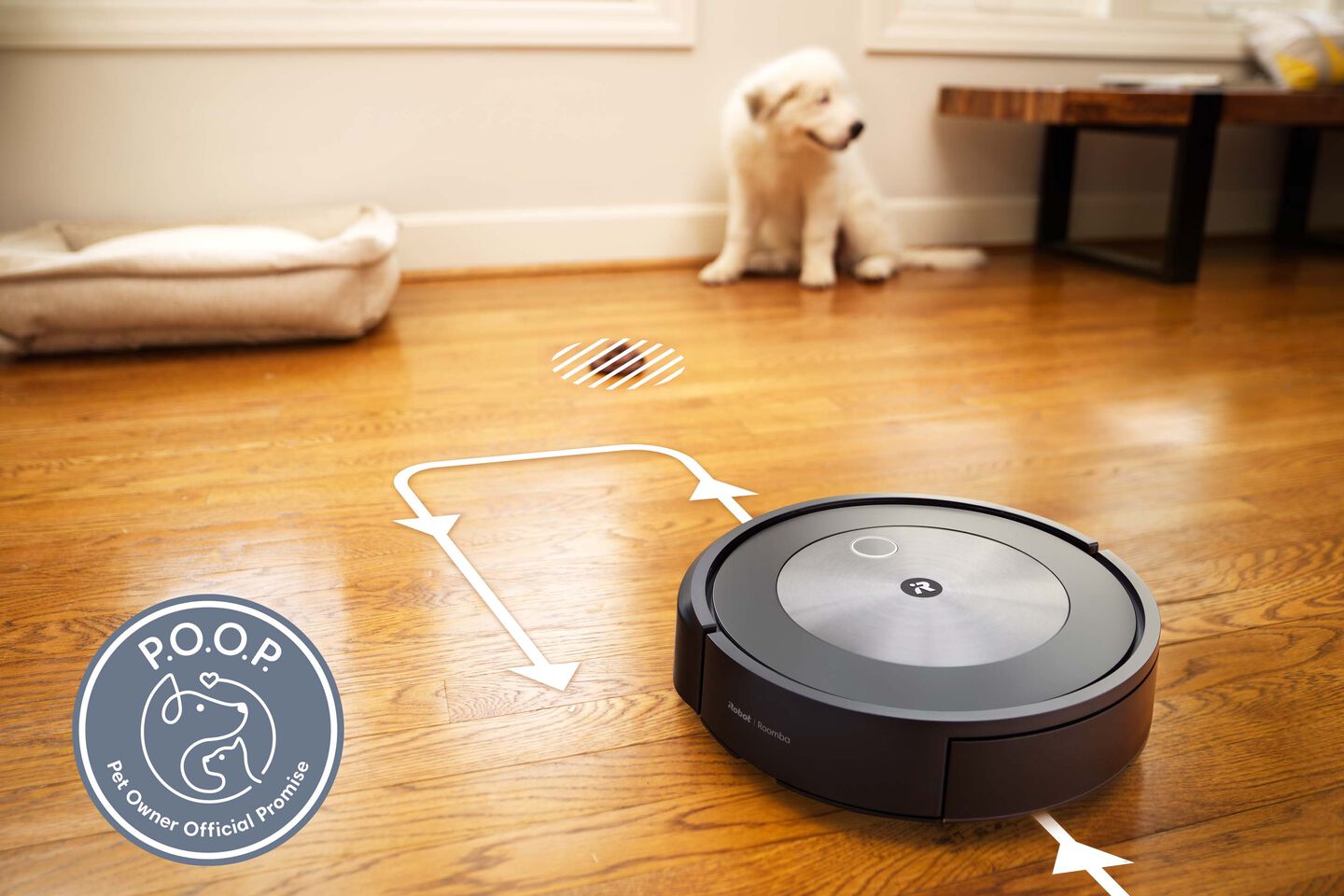
As of 2024, Shark vacuums do not have true pet poop detection. Some competitors, like iRobot, are testing this feature (CNET). For now, careful monitoring is still required.
What To Do If You’re Overwhelmed
Cleaning dog poop from a robot vacuum is not pleasant. If you don’t feel comfortable, consider:
- Asking a friend or family member for help
- Contacting a local appliance repair shop
- Reaching out to Shark’s customer support for cleaning tips
Sometimes, paying for a professional cleaning is worth saving your time and nerves.
Long-term Maintenance Tips
To keep your Shark robot vacuum running well and avoid future problems:
- Clean the brushes and dustbin weekly (even without accidents)
- Inspect the wheels for hair or debris monthly
- Replace filters every 2–3 months, or more often if you have pets
- Wipe sensors regularly to keep navigation accurate
- Store the vacuum in a clean, dry place
Adding a reminder in your phone or calendar can help you keep up with regular maintenance.
Frequently Asked Questions
What Should I Do If I Find My Shark Robot Vacuum Has Spread Dog Poop At Night?
Turn off the vacuum immediately and move it to a safe area. Clean up any poop on the floor first to prevent more tracking. In the morning, follow the cleaning steps in this guide. Do not let the poop dry inside the vacuum, as it will be harder to clean.
Can I Put Any Shark Robot Vacuum Parts In The Dishwasher?
No, you should not put parts like the dustbin, brushes, or filters in the dishwasher. The heat and water pressure can damage them. Always hand wash with mild soap and water, then air dry fully.
Is It Safe To Use Bleach Or Strong Disinfectants?
Avoid using bleach or strong chemicals, as they can damage plastic and rubber parts, and leave harmful residues. Stick with pet-safe disinfectant wipes or mild soap and water.
My Vacuum Still Smells After Cleaning. What Can I Do?
Double-check for missed spots, especially under covers and around wheels. Try cleaning with diluted vinegar. Let parts air out in sunlight if possible. Replace any parts that keep smelling after repeated cleaning.
Will Cleaning After Dog Poop Void My Shark Warranty?
Accidental damage is usually not covered by warranty. However, cleaning your vacuum carefully according to the manual will not void it. If you need to open the vacuum’s body, check your warranty terms first or contact Shark support for advice.
Cleaning a Shark robot vacuum after a dog poop accident is never fun, but it is possible to fully restore your device with patience and care. Follow these steps, avoid common mistakes, and use prevention strategies to keep both your home and your robot clean.
With the right habits, you can enjoy the convenience of a robot vacuum and the joy of your pets—without the stress of messy surprises.
Credit: www.irobot.com

Brandy A. Cherney lovingly refers to herself as a cleaning geek, born and bred in South Carolina but moved to New York City to earn her B.A. in English. She is currently a wife, and mother of two children, two cats, and a dog. Brandy has always loved writing, but never thought she would write for a living.