
Is your Shark Navigator vacuum brush roll suddenly stopped spinning? You’re not alone.
When the brush motor fails, your vacuum loses its powerful cleaning edge, leaving dirt and debris behind. But before you consider buying a new vacuum, there’s a smart, cost-effective solution: replacing the brush motor yourself. You’ll discover how a simple brush motor replacement can bring your Shark Navigator back to life.
We’ll guide you step-by-step, so you can save money, avoid frustration, and get your home spotless again. Ready to fix your vacuum and reclaim its full cleaning power? Keep reading to learn exactly what you need to do.
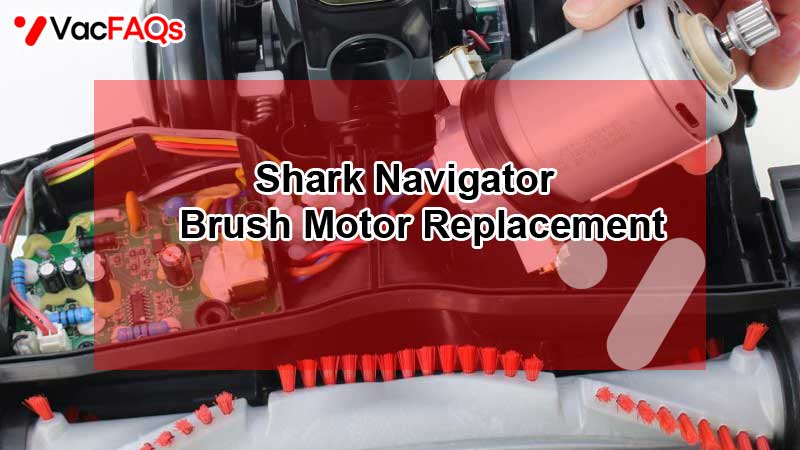
Signs Of A Bad Brush Motor
Knowing the signs of a bad brush motor is important for Shark Navigator owners. The brush motor powers the brush roll, which cleans carpets and floors. When the motor fails, your vacuum loses cleaning power. Spotting problems early can save time and money on repairs.
Unusual Noises And Odors
A failing brush motor often makes strange sounds. You might hear grinding, buzzing, or squealing noises. These sounds mean the motor parts are worn or stuck. A strong burning smell is another warning. This odor comes from the motor overheating or burning out.
Brush Roll Stops Spinning
If the brush roll stops spinning, the motor may be bad. The brush roll should always turn when the vacuum runs. A motor failure can cause the brush roll to stop moving. This lowers the vacuum’s ability to pick up dirt and debris.
Vacuum Clicking Sound
Hearing a clicking noise when you turn on the vacuum is a red flag. This sound often means the motor tries to start but fails. The motor may be dead or have electrical issues. A clicking vacuum usually needs a brush motor replacement.
Tools And Parts Needed
Replacing the brush motor of your Shark Navigator requires specific parts and tools. Having the right items makes the repair process smooth and efficient. This section lists the replacement options and essential tools you need for the job.
Replacement Brush Motor Options
Choose a brush motor that fits your Shark Navigator model exactly. OEM parts ensure compatibility and long-lasting performance. Aftermarket motors can be cheaper but may not last as long. Check the motor’s power rating and size before buying. Some sellers offer motors with warranties for extra security. Always buy from trusted sources to avoid faulty parts.
Essential Tools For Repair
Prepare these tools before starting the replacement:
- Phillips screwdriver for removing screws
- Flathead screwdriver for prying open parts
- Pliers to disconnect wires safely
- Needle-nose pliers for tight spaces
- Multimeter to test electrical connections
- Work gloves for hand protection
- Cleaning cloth to wipe dust and dirt
Using the right tools reduces the risk of damage. Keep everything organized to avoid losing small parts.
Preparing For Motor Replacement
Preparing to replace the brush motor on your Shark Navigator requires some careful steps. These steps ensure safety and easy access to the motor. Taking time to prepare reduces the chance of mistakes. This makes the repair smoother and faster.
Unplugging And Safety Measures
First, unplug the vacuum from the power source. This prevents any risk of electric shock. Check that the vacuum is fully off before starting work. Wear gloves to protect your hands from sharp parts. Work in a clean, well-lit area. Keep small screws and parts in a container so they do not get lost.
Accessing The Brush Roll Assembly
Turn the vacuum upside down to reach the bottom plate. Remove the screws holding the bottom plate in place. Lift the plate gently to expose the brush roll assembly. Notice how the brush roll is connected to the motor. Take photos if needed to help with reassembly. Carefully detach the brush roll and motor connections. Now, you are ready to remove the old motor and install a new one.
Removing The Old Brush Motor
Removing the old brush motor from your Shark Navigator vacuum is a key step in fixing or upgrading your device. This process requires careful handling to avoid damage to other parts. Follow these simple steps to detach the motor safely.
Detaching The Brush Roll Belt
First, locate the brush roll belt wrapped around the brush roll and motor pulley. Gently slide the belt off the motor pulley. This may require a bit of wiggling. Keep the belt intact if you plan to reuse it. Set it aside carefully to avoid stretching or tearing.
Disconnecting Motor Wires
Next, find the wires connected to the brush motor. These wires supply power to the motor. Carefully pull the connectors apart. Avoid pulling the wires themselves to prevent damage. Make sure no wires are still attached before proceeding.
Removing Motor Mounting Screws
Finally, locate the screws that hold the motor in place. Use the correct screwdriver to remove these screws. Keep the screws safe for reinstallation. Once all screws are removed, gently lift the motor out of its housing. Now, the old brush motor is ready for replacement.
Installing The New Brush Motor
Installing the new brush motor in your Shark Navigator vacuum is a key step to restore its cleaning power. This process requires care and attention to detail. Follow the steps carefully to ensure the motor fits and works correctly.
Securing The New Motor
Place the new brush motor into the motor housing. Align it with the mounting holes. Use the screws removed earlier to secure the motor tightly. Avoid over-tightening to prevent damage. The motor should sit firmly without any movement.
Reconnecting Electrical Wires
Match each wire to its correct terminal on the motor. Connect the wires using the original clips or connectors. Ensure connections are snug and secure to avoid loose contacts. Double-check that no wires are pinched or twisted during reconnection.
Reattaching The Brush Roll Belt
Loop the belt around the motor pulley carefully. Stretch the belt over the brush roll’s end. Rotate the brush roll slightly to seat the belt properly. Confirm the belt is tight but not overly stretched. A correct fit ensures smooth brush roll movement.
Testing The Vacuum After Replacement
After replacing the brush motor in your Shark Navigator vacuum, testing is crucial. This step ensures the motor works correctly and the brush roll spins smoothly. Proper testing prevents future damage and keeps your vacuum performing well.
Powering On And Checking Brush Roll
First, plug in the vacuum and switch it on. Watch the brush roll carefully. It should start spinning immediately and without any unusual noise. Listen for a steady motor sound. If the brush roll does not spin or makes a grinding noise, the motor may not be installed correctly. Turn off the vacuum before making any adjustments.
Troubleshooting Common Issues
If the brush roll does not spin, check the belt for damage or proper placement. Make sure all wiring connections to the motor are secure. Sometimes dirt or debris can block the brush roll, so clean the area thoroughly. If the motor hums but the brush does not move, the motor might be faulty. Test the vacuum again after checking these points to confirm the fix.
Cost Considerations
Replacing the brush motor in a Shark Navigator vacuum involves various cost factors. Understanding these expenses helps in making a practical choice. Costs depend on the motor type, repair options, and source of parts. Budgeting carefully avoids unexpected spending on your vacuum maintenance.
Buying Oem Vs Third-party Motors
OEM motors come directly from Shark or authorized sellers. They guarantee compatibility and quality. These motors tend to cost more but offer peace of mind and longer life. Third-party motors are cheaper and widely available online. Quality varies greatly, so research is key before buying. Low-cost motors may save money initially but can wear out faster. OEM parts usually keep warranty benefits intact, unlike many third-party options.
Repair Vs Replacement Analysis
Deciding between repairing the existing motor or replacing it is important. Repairing often costs less but may only delay future problems. Replacement provides a fresh start and often restores full vacuum power. Consider the vacuum’s age and condition before deciding. If other parts show wear, a new motor might be the better investment. Repair might suit newer vacuums with minor issues. Replacement fits older models or severe motor damage.
Maintenance Tips To Extend Motor Life
Proper maintenance helps extend the life of your Shark Navigator brush motor. Small daily efforts prevent costly repairs and replacements. Keeping the motor clean and avoiding stress are key practices. Follow these simple tips to keep your vacuum running longer and stronger.
Regular Brush Roll Cleaning
Remove hair, threads, and debris from the brush roll often. A clean brush roll spins freely and reduces strain on the motor. Check the brush after every few uses. Use scissors or a cleaning tool to cut away tangled fibers carefully. Avoid sharp objects that may damage the brush or motor parts. Regular cleaning keeps the vacuum efficient and protects the motor.
Avoiding Motor Overload
Do not force the vacuum over thick carpets or large debris. Heavy loads cause the motor to work harder and heat up quickly. Use the vacuum in suitable conditions and adjust settings if available. Empty the dust cup or bag before it gets too full. Blockages increase motor effort and risk burnout. Light, steady use helps the motor last longer and perform better.
Frequently Asked Questions
How To Tell If Shark Vacuum Motor Is Bad?
Listen for a clicking sound without motor start or smell a burnt odor from the vacuum. These signal a bad Shark vacuum motor.
Is It Worth Replacing A Vacuum Motor?
Replacing a vacuum motor is worth it if the rest of the vacuum is in good condition. It saves money compared to buying new.
Can You Replace A Shark Vacuum Motor?
Yes, you can replace a Shark vacuum motor by opening the vacuum, disconnecting wires, and swapping in a new motor.
Are Shark Vacuums Worth Repairing?
Shark vacuums are worth repairing if damage is minor and repair costs stay low. Replace parts like motors or batteries affordably. For older models, consider replacement when repair expenses exceed vacuum value. Repairing boosts vacuum life and saves money compared to buying new units.
How Do I Know If My Shark Navigator Brush Motor Needs Replacement?
If the brush roll stops spinning, the motor might be faulty. Strange noises or burning smells also signal motor issues. Checking these signs helps decide if replacement is needed.
Conclusion
Replacing the brush motor in your Shark Navigator can extend its life. This fix restores strong brush roll movement for better cleaning. You save money compared to buying a new vacuum. The process is simple with basic tools and steps.
Check the motor condition regularly to avoid sudden breakdowns. A working brush motor keeps your floors cleaner and your vacuum efficient. Small repairs like this help maintain your vacuum’s performance over time. Keep your Shark Navigator running smoothly with timely brush motor replacements.

Brandy A. Cherney lovingly refers to herself as a cleaning geek, born and bred in South Carolina but moved to New York City to earn her B.A. in English. She is currently a wife, and mother of two children, two cats, and a dog. Brandy has always loved writing, but never thought she would write for a living.