
A shark cordless vacuum not working is often due to a clog, battery issue, or dirty filters. Check these three areas first for a quick fix.
You grab your trusty Shark cordless vacuum, ready to tackle that sudden spill of cereal on the floor. You press the power button and… nothing. The silence is a real headache. That moment of frustration is something we’ve all felt. When your reliable cleaning tool suddenly quits, it can throw off your whole routine. But before you think about expensive repairs or a replacement, I’m here to tell you that the fix is often surprisingly simple.
The problem of a shark cordless vacuum not working is rarely a sign of a major failure. Most of the time, it’s the machine’s way of telling you it needs a little attention. We’re going to put on our detective hats together. We will look at the clues and walk through the common culprits. Let’s get your Shark back to being the cleaning workhorse you rely on.
| Product Type | Product Name | Our Rating | Image | Check Price at Amazon.com |
|---|---|---|---|---|
| Featured Product | Shark PowerPro Plus Cordless Stick Vacuum | ★★★★★ 5.0/5 |  | Check Price at Amazon.com |
| Shark Replacement Battery | FirstPower 3.5Ah 10.8V Battery | ★★★★★ 5.0/5 | 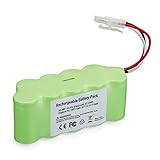 | Check Price at Amazon.com |
| Shark Vacuum Filter Kit | 8 Pack Vacuum Filter Replacement for Shark WS620 WS632 WS630 Filter | ★★★★★ 5.0/5 |  | Check Price at Amazon.com |
| Shark Vacuum Charger | 28.8V Charger Fit for Shark IONFlex DuoClean IF205 IF201 IR101 IC205 IR100 IR141 IR70 IF282 | ★★★★★ 4.9/5 |  | Check Price at Amazon.com |
| Detailing Brush Set | 14Pcs Small Crevice Cleaning Brush Set | ★★★★★ 5.0/5 |  | Check Price at Amazon.com |
| Seam Ripper | Fiskars Stitcher Scissors No. 5 | ★★★★½ 4.7/5 |  | Check Price at Amazon.com |
First Steps: The 60-Second Shark Checkup
Before we start taking things apart, let’s cover the basics. These simple checks solve the problem more than half the time. Think of this as the initial triage for your vacuum. It’s quick, easy, and can save you a lot of time.
- Is it charged? It sounds too simple, but it’s the most common reason for a vacuum not starting. Check the battery indicator lights. If they don’t light up when you press the power button, the battery is likely dead.
- Is the charger working? Plug the charger into the wall and connect it to the vacuum or the battery directly. A light on the charger or the battery should turn on. If not, try a different wall outlet to make sure the outlet isn’t the problem.
- Are all parts clicked together? A Shark cordless vacuum has several connection points. The wand must click into the floorhead, and the handheld unit must click into the wand. If any of these connections are loose, the vacuum won’t get power.
- Is a specific mode selected? Some models have different settings for carpet and hard floors. Make sure a mode is engaged. Sometimes, if it’s stuck between settings, it won’t start.
Deep Dive: Diagnosing a Power Problem
If the quick checkup didn’t solve the issue, it’s time to look closer at the power system. This involves the battery, the charger, and the electrical connections. A problem here is the most common reason your Shark cordless vacuum is not working when it’s not a simple clog.
The Battery: Heart of Your Shark
The lithium-ion battery is the powerhouse of your machine. Like any battery, it has a lifespan and needs proper care. Let’s investigate potential battery issues.
- Check the Battery Terminals: Remove the battery from the vacuum. Look at the metal contact points on both the battery and the vacuum itself. Are they clean? Dust and debris can sometimes build up and prevent a solid connection. Wipe them with a dry cloth.
- Perform a Hard Reset: Sometimes, the battery’s internal electronics can get confused. Try this:
- Remove the battery from the vacuum.
- Press and hold the power button on the handheld unit for 10 seconds. This discharges any residual power.
- Re-insert the battery and try turning it on again.
- Assess Battery Age: How old is your vacuum? A typical Shark battery lasts for about two to three years with regular use. If your vacuum is older and the runtime has been getting shorter and shorter, the battery may have reached the end of its life. A Shark replacement battery is often a necessary purchase for older models.
Pro Tip: Never store your Shark vacuum’s battery in a place with extreme temperatures, like a cold garage in winter or a hot shed in summer. This can shorten its lifespan significantly.
The Charging System: The Lifeline
Your vacuum is useless if it can’t get a charge. A faulty charger or a bad connection can easily be mistaken for a dead vacuum.
Here is a simple table to diagnose charging issues:
| Symptom | Likely Cause | Quick Fix |
|---|---|---|
| No lights on the battery when plugged in | Faulty outlet or bad charger | Try a different wall outlet. Inspect the charger cord for any damage or kinks. |
| Lights flash but it never fully charges | Poor connection or faulty battery | Clean the charging contacts. If it persists, the battery may be failing. |
| Charger feels very hot to the touch | Internal charger fault | Unplug immediately. A charger should get warm, but not excessively hot. It may need to be replaced. |
Unclogging the Beast: Why Your Shark Has No Suction
Okay, so your vacuum turns on, but it’s not picking anything up. Or maybe it runs for a few seconds and then shuts off. This is a classic sign of a clog. Your Shark vacuum has a safety feature that shuts down the motor to prevent it from overheating when airflow is blocked. This is a smart feature that protects the machine from damage.
Let’s follow the path of the air to find the blockage. You’ll need good lighting for this. A flashlight can be a big help.
Step 1: The Floorhead and Brushroll
This is where most clogs happen. Hair, string, and carpet fibers love to wrap around the brushroll.
- Visual Inspection: Turn the floorhead over. Is the brushroll wrapped in hair? Many Shark models have a self-cleaning brushroll, but even they can get overwhelmed.
- Clear the Debris: Use scissors or a seam ripper to carefully cut away any tangled hair. Be careful not to cut the bristles. Some models have a removable panel to make this easier.
- Check the Neck: The tube that connects the floorhead to the wand is a narrow point. Look through it to see if any larger debris, like a sock or a pet toy, is stuck inside.
Step 2: The Wand
The long stick that connects the floorhead to the handheld unit is the next most likely spot for a clog.
- Detach the Wand: Separate the wand from both the floorhead and the handheld unit.
- Look Through It: Hold it up to a light and look through it from both ends. It’s a straight tube, so any blockage should be obvious.
- Dislodge the Clog: If you see something, use a long, blunt object like a broom handle to gently push it out. Do not use anything sharp that could puncture the wand.
Step 3: The Handheld Unit and Dust Cup
The final point of entry before the motor is the handheld unit itself. A clog here is less common but can happen.
- Empty the Dust Cup: This should always be your first move. An overly full dust cup will kill suction and can cause the motor to shut down.
- Check the Inlet: Look at the opening where the wand connects to the handheld unit. Is there a clump of debris stuck there?
- Clean the Metal Screen: Inside the dust cup, there is usually a metal or plastic mesh screen. This is part of the cyclone separation system. Fine dust and hair can get caked onto this screen, blocking airflow. Use a soft brush to clean it off.
The Brain of the Operation: Filters and Electronics
If you have power and you’ve confirmed there are no clogs, the last two areas to check are the filters and the internal electronics. Dirty filters are a huge performance killer and a very common reason a shark cordless vacuum not working correctly.
Why Clean Filters Are Not Optional
Your vacuum needs to breathe. Filters prevent dust from getting into the motor and from being blown back into your home’s air. When they get clogged, the motor has to work much harder to pull air through, which can cause it to overheat and shut off.
Most Shark cordless models have two or three filters:
- Pre-Motor Foam and Felt Filters: These are usually located right under the dust cup. They are your first line of defense and catch the larger dust particles. They should be washed with water at least once a month.
- Post-Motor HEPA Filter: This filter is typically near the back of the handheld unit where the air blows out. It catches the finest particles, like pollen and allergens. This should be washed or replaced once a year.
CRITICAL STEP: After washing your filters, you MUST let them air dry completely for at least 24 hours. Putting a damp filter back in the vacuum is a nightmare. It can lead to mold, bad smells, and can send moisture directly into the motor, causing permanent damage.
When to Suspect the Motor
If you’ve tried everything—the battery is charged, there are no clogs, and the filters are spotless—and the vacuum still won’t turn on or makes a strange noise, you might have a motor issue. This is rare. Shark motors are generally very reliable. A motor failure is usually the last possibility to consider.
Signs of a failing motor include:
- A loud grinding or whining noise.
- A burning smell coming from the vacuum.
- The vacuum turns on but the brushroll doesn’t spin (and you’ve confirmed the brushroll isn’t jammed).
If you suspect a motor issue, it’s usually time to contact Shark customer support or consider a replacement. Repairing the motor on a cordless vacuum is often more expensive than the cost of a new machine.
The Verdict: Is Your Shark Fixable?
In almost every case, the answer is a resounding yes. The problem of a Shark cordless vacuum not working is overwhelmingly caused by one of the “big three”:
- A Power Issue: A dead or dying battery.
- An Airflow Issue: A clog somewhere in the system.
- A Breathing Issue: Filthy, clogged filters.
By patiently working through the steps in this guide, you can diagnose and fix the problem yourself in under an hour. It’s a satisfying feeling to bring your appliance back to life without having to spend any money.
Conclusion: Bringing Your Shark Back to Life
Facing a shark cordless vacuum not working can be a real pain, but it’s rarely a disaster. By methodically checking the battery, hunting for clogs, and giving your filters a good cleaning, you can solve the vast majority of issues. Remember to be patient and thorough. These machines are designed to be taken apart for maintenance. Taking a few minutes for regular upkeep, like emptying the dust cup and cleaning the brushroll, will prevent most of these problems from ever happening in the first place. Now, you have the knowledge to keep your Shark running strong for years to come.
Frequently Asked Questions
Why does my Shark cordless vacuum turn on and then off?
This is almost always a sign of a blockage or dirty filters. The vacuum’s motor is shutting itself off to prevent overheating. Disassemble the wand, floorhead, and handheld unit to check for clogs. Then, wash your pre-motor filters and ensure they are completely dry before reinserting them.
How do I reset my Shark cordless vacuum?
A simple reset can sometimes clear an electronic glitch. To do this, remove the battery from the main handheld unit. Press and hold the power button for about 10-15 seconds to discharge any stored energy. Then, reinsert the battery and try to power it on. This does not fix physical problems like clogs.
Can I use my Shark vacuum without the filter?
No, you should never use your vacuum without the filters. The filters protect the motor from being destroyed by fine dust and debris. Running it without them will void your warranty and likely cause permanent damage to the motor in a very short amount of time.
Why are the lights on my Shark vacuum flashing?
Flashing lights are error codes. The meaning can vary by model. Often, a flashing power light indicates a blockage or a brushroll jam. Flashing battery indicator lights during use can mean the battery is low or there is a connection issue. Check your user manual for the specific error codes for your model.
How long does a Shark cordless vacuum battery last?
The battery’s lifespan is typically around 2-3 years, or several hundred charge cycles. You’ll notice it’s nearing the end of its life when the runtime gets significantly shorter, even after a full charge. You can purchase a genuine Shark replacement battery online.
What if my Shark vacuum brushroll is not spinning?
First, turn the vacuum off and check for tangled hair or string on the brushroll. Clear any obstructions. Second, check the connection between the wand and the floorhead; if it’s loose, it won’t supply power. Finally, some models have a brushroll reset button or a setting that can be toggled. If none of these work, there could be an issue with the small motor in the floorhead.
Is it worth replacing the battery on a Shark cordless vacuum?
Yes, in most cases it is very cost-effective. If the rest of the vacuum is in good condition, buying a new battery for $50-$80 is much cheaper than buying a whole new vacuum for $200-$400. It’s an easy way to extend the life of your appliance.
My Shark vacuum has a bad smell. What causes this?
A bad smell is usually caused by washing the filters and not letting them dry completely before putting them back in. This allows mold and mildew to grow. It can also be caused by vacuuming up something damp or organic material like pet accidents. Wash all your filters thoroughly and let them air dry for at least 24-48 hours in a sunny spot.

Brandy A. Cherney lovingly refers to herself as a cleaning geek, born and bred in South Carolina but moved to New York City to earn her B.A. in English. She is currently a wife, and mother of two children, two cats, and a dog. Brandy has always loved writing, but never thought she would write for a living.