
A dead Shark mini vacuum is a common headache. The fix is often a dirty contact point or a bad power source, which are easy to check and clean.
You grab your handy Shark mini vacuum for a quick cleanup. Crumbs on the counter? No problem. Pet hair on the stairs? Easy work. But when you press the power button, nothing happens. You place it on the charger, expecting to see that reassuring light, but you get darkness. This is a real headache. Your quick cleaning tool is suddenly a useless piece of plastic. The problem of a shark mini vacuum not charging is incredibly common, but the solution is often simpler than you think.
Let’s get to the bottom of this charging mystery. We will look at every possible cause. We will go from the simple outlet on your wall to the battery inside the vacuum. This guide will help you find the fix and get your powerful little cleaning partner back in action.
Understanding the Charging System of Your Shark Mini
Before we fix the problem, we need to know how it works. Your Shark mini vacuum’s charging system is simple but has a few key parts. When any one of these parts fails, the whole system stops working. Think of it as a chain; a single broken link means no power.
- The Power Adapter: This is the plug that goes into your wall outlet. It converts the AC power from your home into DC power that the vacuum’s battery can use.
- The Charging Cable or Dock: This connects the power adapter to the vacuum itself. Some models have a simple cable, while others use a docking station. Both have metal contact points that must touch the contacts on the vacuum.
- The Battery: This is the heart of your cordless vacuum. It’s a lithium-ion battery that stores the power. These batteries have a limited lifespan and will eventually wear out.
- The Indicator Lights: These lights are your communication tool. They tell you if the vacuum is charging, if the charge is complete, or if there is an error. The meaning of different blinking patterns is usually in your user manual.
When you place the vacuum on the charger, a circuit is completed. Power flows from the wall, through the adapter and cable, and into the battery. If there is a break anywhere in that path, you have a charging failure.
Common Culprits: Why Your Shark Mini Vacuum Not Charging
Most charging issues come down to one of a few common problems. It is rarely a major failure of the vacuum’s motor or internal electronics. Let’s investigate the most likely suspects, starting with the easiest to check.
The Simple Power Source Problem
This might sound too obvious, but it happens all the time. The problem might not be with your vacuum at all, but with the power source it’s plugged into.
- Is the Outlet Working? Wall outlets can fail. They can also be connected to a light switch that is turned off. The circuit breaker connected to the outlet could have tripped.
- Why It Matters: If there is no power coming out of the wall, nothing else you do will matter. This is the first and most important link in the chain.
- Pro Tip: Grab a lamp or your phone charger—something you know works—and plug it into the same outlet. For a more definitive test, a simple receptacle tester can instantly confirm if an outlet is live and properly wired. If your test device doesn’t turn on, you’ve found your problem. Check your home’s breaker box or try a different outlet in another room.
The Dirty Connection Conundrum
This is the number one cause for a Shark mini vacuum that won’t charge. The small metal contacts on the vacuum and the charging dock need to make a clean, solid connection to transfer power.
- What Happens: Over time, dust, grime, and even oxidation can build up on these tiny metal plates. This film acts as a barrier, preventing electricity from passing through.
- Why It’s a Headache: The vacuum might look like it’s docked correctly. You might even hear a click. But if that electrical connection isn’t perfect, no charging will occur.
- Pro Tip: Take a dry microfiber cloth and wipe the contacts on both the vacuum and the dock firmly. For stubborn grime, you can use a cotton swab lightly dampened with rubbing alcohol. Make sure the contacts are completely dry before you try to charge again.
The Damaged Cord or Dock
The charging cable and dock can take a lot of abuse. They get stepped on, bent, and pulled. This physical stress can cause internal damage that isn’t always visible from the outside.
- Signs of Damage: Look for any visible fraying, kinks, or sharp bends in the cable. Check the plug itself for any bent prongs. Inspect the dock for any cracks in the plastic housing.
- The Hidden Danger: A wire can be broken inside the cable’s insulation, with no visible signs of damage. The only symptom is that it stops working.
- Pro Tip: Run your fingers along the entire length of the charging cable. Feel for any bumps or irregularities under the outer sheath. If you have another Shark product that uses the same charger, try swapping them to see if the problem follows the charger.
The Battery’s Final Chapter
Every rechargeable battery has a finite number of charge cycles. After a few years of regular use, a lithium-ion battery will simply lose its ability to hold a charge. This is not a defect; it is the natural end of its life.
- Symptoms of a Dead Battery: A key sign is a drastically reduced runtime. Maybe your vacuum used to run for 10 minutes, but now it dies after 30 seconds. Eventually, it won’t hold any charge at all.
- The Point of No Return: If you’ve confirmed the outlet is working, the contacts are clean, and the cord is fine, the battery is the next logical suspect.
- Pro Tip: Some Shark mini vacuum models have replaceable batteries. Check your user manual or the Shark website. If you can buy a new battery, it’s a much cheaper fix than replacing the entire vacuum. A Replacement Shark Wandvac Battery can often bring an old unit back to life.
Your Step-by-Step Shark Charging Revival Plan
Now let’s put it all together into a clear, actionable plan. Follow these steps in order. Do not skip any, even if you think they are too simple. This process will isolate the problem and find the solution.
- Step 1: Verify Your Power Source.
- What to Do: Unplug the Shark vacuum’s charger. Plug a working lamp or phone charger into the exact same outlet.
- Why: This immediately confirms if the problem is with your home’s electricity or the vacuum’s hardware. It’s the fastest way to rule out a major variable.
- Result: If the lamp doesn’t turn on, your problem is the outlet or breaker box. If it does turn on, proceed to the next step.
- Step 2: Perform a Deep Clean of All Contacts.
- What to Do: Unplug the charger from the wall. Take a dry, clean microfiber cloth and vigorously polish the metal contacts on the vacuum and on the charging dock or cable.
- Why: This removes the invisible layer of dust and grime that is the most common cause of charging failure.
- Pro Tip: For any visible gunk, use a cotton swab with a tiny amount of isopropyl alcohol. Ensure it evaporates completely before plugging anything back in.
- Step 3: Inspect Every Inch of the Charging Hardware.
- What to Do: Carefully examine the power adapter and the entire length of the cable. Look for any signs of physical damage: cuts, frays, kinks, or crushing.
- Why: Physical damage can sever the internal wires, cutting off the flow of power. This is a safety hazard as well as a functional problem.
- Result: If you find any damage, stop immediately. Do not use the charger. You will need to order a replacement from Shark’s official website.
- Step 4: Check for Overheating Safety Shutoffs.
- What to Do: Some models have a safety feature that prevents charging if the battery is too hot or if there’s a major clog. Check the dust cup and the filter. Make sure they are clean and that there are no blockages in the airway. Using a can of compressed air can help blow out any hidden dust from the filter and internal pathways.
- Why: The vacuum’s internal computer might be preventing a charge to protect the battery from damage.
- Pro Tip: Let the vacuum sit off the charger for at least 30 minutes to cool down before trying to charge it again, especially after heavy use.
The Verdict: Is Your Shark Mini Vacuum Fixable?
After following the steps above, you should have a clear answer. Let’s break down the final verdict based on what you found.
The Good News: In most cases, the problem is a simple fix. If testing a new outlet worked, or if cleaning the contacts brought the charging light back to life, you are all set. These are the most common outcomes. You have successfully solved the issue without spending any money.
The Repairable News: If you discovered physical damage to the charging cord or dock, the vacuum itself is likely fine. You just need to replace the broken part. You can order official replacement parts directly from the Shark website to ensure compatibility and safety.
The Bad News: If you have tried all the steps—you have a working outlet, clean contacts, and an undamaged cord—and the vacuum still shows no signs of life, the problem is almost certainly a dead battery. If your model’s battery is not user-replaceable, it may unfortunately be time to replace the entire unit. While frustrating, a vacuum like the Shark UltraCyclone Pet Pro Plus offers a great upgrade in power and features.
Troubleshooting Summary Table
Use this quick table to match your vacuum’s symptoms to the most likely cause and solution.
| Symptom | Most Likely Cause | Solution |
|---|---|---|
| No indicator light at all | Dead outlet or faulty adapter | Test outlet with a lamp; inspect charging cord for damage. |
| Indicator light is on, but vacuum doesn’t charge | Dirty connection contacts | Unplug and thoroughly clean contacts on both vacuum and dock. |
| Indicator light blinks in an unusual pattern | Error code (e.g., clog, overheating) | Empty dust bin, clean filter, and let the unit cool down. |
| Runtime is extremely short (dies in seconds) | Battery has reached the end of its life | Check if the battery is replaceable; otherwise, a new unit is needed. |
Conclusion: Keeping Your Mini Vac Powered Up
Facing a shark mini vacuum not charging is a frustrating but often solvable problem. By methodically checking the power source, cleaning the contacts, inspecting the hardware, and understanding the battery’s health, you can diagnose the issue like a pro. Remember that regular maintenance, like keeping those contacts clean, can prevent this headache from happening in the first place. With these tips, you can ensure your trusty Shark mini is always ready for action, keeping your home clean and tidy with the push of a button.
Frequently Asked Questions
What do the lights on my Shark mini vacuum mean?
The indicator lights are your vacuum’s way of communicating. A solid or pulsing blue light typically means it is charging correctly. A solid, steady blue light often indicates a full charge. A flashing or red light usually signals an error, such as a clog, a jam in the brush roll, or a battery issue. Always consult your specific model’s user manual for a precise guide to its light patterns.
Can I use a different charger for my Shark mini vacuum?
No, you should never use a charger that was not specifically designed for your Shark vacuum model. Using an incompatible charger can be dangerous. It can damage the battery, the charging circuitry, or even create a fire hazard due to incorrect voltage or amperage. Always use the original charger that came with your vacuum or an official replacement from Shark.
How long is a Shark mini vacuum battery supposed to last?
The total lifespan of a Shark mini vacuum’s lithium-ion battery is typically two to four years, depending on how often you use and recharge it. In terms of runtime on a single charge, most models provide between 8 to 15 minutes of cleaning power. You will notice the runtime gradually decrease as the battery gets older.
Is it worth replacing the battery in a Shark mini vacuum?
This depends on your specific model. If your vacuum has a user-replaceable battery, it is almost always worth replacing it. A new battery is much cheaper than a new vacuum. However, if the battery is integrated into the body and not designed to be replaced, the cost and difficulty of a repair would likely make buying a new vacuum a better option.
Why does my vacuum stop charging before it’s full?
This could be due to a couple of reasons. The battery might be overheating, causing the safety circuit to stop the charge to prevent damage. Let it cool down for 30-60 minutes before trying again. It could also be an early sign that the battery is beginning to fail and can no longer hold its maximum capacity.
Can I leave my Shark mini vacuum on the charger all the time?
Yes, for most modern Shark models, it is perfectly safe. They are designed with smart charging technology that stops drawing power once the battery is full. This prevents overcharging and allows you to keep the vacuum on its dock so it’s always ready to go. However, if you plan to be away for an extended period (like a long vacation), it’s a good practice to unplug it.
Does cleaning the filter help with charging issues?
Indirectly, yes. A severely clogged filter can cause the motor to work much harder, which can lead to overheating. Many Shark vacuums have a safety feature that will prevent the unit from charging if the battery is too hot. Regularly using a small electronics cleaning brush kit to clear debris from the filter and vents can prevent the clogs that lead to overheating. By keeping your filter clean, you ensure the vacuum runs efficiently and stays cool, which helps maintain a healthy charging cycle.
How can I buy a replacement charger for my Shark mini?
The safest and best way to get a replacement charger is directly from the official SharkClean website. Go to their “Parts & Accessories” section and search for your vacuum’s model number. This guarantees you will receive a genuine part that is compatible and safe for your device. Avoid third-party chargers from online marketplaces, as they may not meet safety standards.
| Product Type | Product Name | Our Rating | Image | Check Price at Amazon.com |
|---|---|---|---|---|
| Featured Product | Omofull Car Vacuum Portable Cordless, 19500Pa 4-in-1 Handheld Vacuum Cordless Vacuum Cleaner&Air Duster with Multi-Nozzles, 140W Hand Cordless Rechargeable Vacuum Cleaners for Car, Home, Office, Pet | ★★★★★ 5.0/5 |  | Check Price at Amazon.com |
| Outlet Testers | Kooprimit RV 50 Amp to 110 Adapter with Locking Connector, 50 Amp to 15 Amp RV Adapter, NEMA 5-15P to NEMA SS2-50R Electrical Power Adapter with Upgraded Grip Handle, ETL Listed, 3-Year Warranty | ★★★★★ 4.9/5 |  | Check Price at Amazon.com |
| Outlet Testers | LANDNOR Heavy Duty 15Aamp to 50Amp RV Generator Adapter Cord – 10 AWG Pure Copper, Heavy Duty Dog Bone Plug, NEMA 5-15P to 14-50R for RVs, Campers, Trailers & Vans | ★★★★★ 4.8/5 |  | Check Price at Amazon.com |
| Outlet Testers | Jdakhd Decorative Outlet Covers Boho Mid Century Modern 2 Gang Wall Plate Cover Double Duplex Receptacle Abstract Black Cat & Green Leaf Arch Sun Design Two Switch Light Switch Cover Plate Kitchen | ★★★★★ 4.9/5 |  | Check Price at Amazon.com |
| Electronics Cleaning Kits | CRC 05103-Case 5103 Quick Dry Electronic Cleaner, 11 oz, 12 Pack | ★★★★★ 4.8/5 | 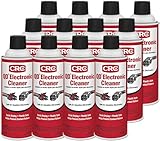 | Check Price at Amazon.com |
| Electronics Cleaning Kits | WD-40 Specialist Contact Cleaner Spray, 11 oz. | ★★★★★ 5.0/5 |  | Check Price at Amazon.com |
| Replacement Shark Chargers | 28.8V Charger Fit for Shark IONFlex DuoClean IF205 IF201 IR101 IC205 IR100 IR141 IR70 IF282 IF200W IF251 IF285 IF250 IF200 IF202 IF281 F80 Cordless Vacuum Replacement Power Supply Adapter Cord | ★★★★★ 5.0/5 |  | Check Price at Amazon.com |
| Replacement Shark Chargers | BIYTC 24.8V Charger Compatible with Shark IZ362H IZ363H IZ162H IZ163H IZ162HC UZ365H UZ145 IX140H IX141 IZ140 IZ140C IZ141C IZ142 WZ140 Rocket Pet Pro Power Cord,Cordless Vacuum DK33-248080H-U Adapter | ★★★★★ 5.0/5 | 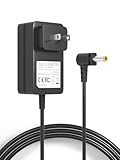 | Check Price at Amazon.com |
| Replacement Shark Batteries | WS642AE Filter Replacement for Shark Wandvac Self-Empty System WS642AE Ultra-Lightweight Powerful Cordless Stick Vacuum (4 Pack) | ★★★★★ 5.0/5 |  | Check Price at Amazon.com |
| Replacement Shark Batteries | 4000mAh RVBAT850 Shark Ion Battery Replacement For Shark Robot Vacuum RVBat850 RV750 R75 RV85 RV761 RV850 RV700_N RV720_N RV700 RV720 RV750 RVBAT700 RV1000S RV1100VL RV101AE UR1000 Vacuum Battery Part | ★★★★★ 5.0/5 |  | Check Price at Amazon.com |

Brandy A. Cherney lovingly refers to herself as a cleaning geek, born and bred in South Carolina but moved to New York City to earn her B.A. in English. She is currently a wife, and mother of two children, two cats, and a dog. Brandy has always loved writing, but never thought she would write for a living.