
If you own a Shark air purifier, you know how important it is to keep the air in your home clean and fresh. But did you know that changing the air filter regularly is key to maintaining its performance?
If you’ve been wondering how to change your Shark air filter quickly and correctly, you’re in the right place. In this guide, you’ll learn simple steps to replace your filter without any hassle, so your purifier keeps working at its best.
Keep reading to find out how easy it is to breathe cleaner air by taking care of your Shark air filter today!
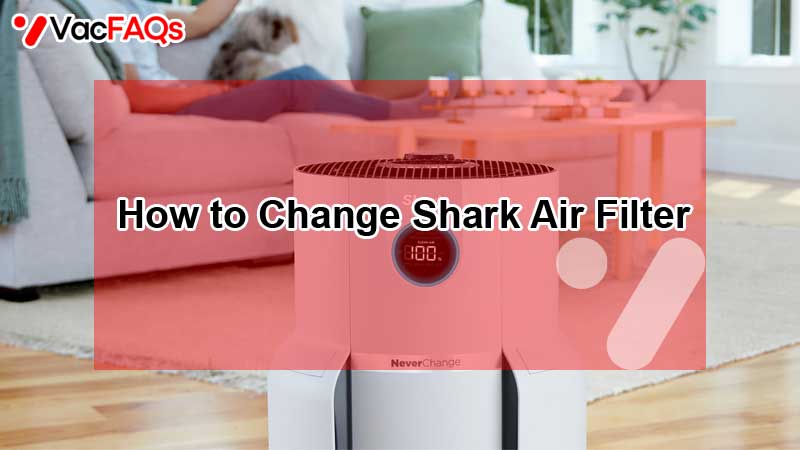
Signs To Change Your Shark Filter
Knowing when to change your Shark air filter is key for clean air and efficient operation. Filters trap dust, allergens, and particles. Over time, these build up and reduce the filter’s ability to clean the air. This can affect your health and the performance of your purifier. Watch for signs that tell you it is time for a new filter. These signs help keep your home fresh and your purifier working well.
Filter Life Indicator
Most Shark air purifiers have a filter life indicator. This shows how much filter life remains. It usually appears on the display panel or remote control. When the indicator warns you, it means the filter is near the end of its use. Replace the filter soon to avoid poor air quality.
Flashing Warning Lights
Flashing lights on your Shark purifier signal a problem with the filter. These lights can blink or flash in specific colors. They alert you that the filter needs attention or replacement. Ignoring these warnings can cause the purifier to work harder and use more energy.
Reduced Airflow And Performance
A dirty or clogged filter reduces airflow through the purifier. You might notice weaker air coming out. The purifier may also make unusual sounds or run longer than usual. This drop in performance means the filter is full and must be changed. A fresh filter restores strong airflow and efficient cleaning.
Types Of Shark Air Filters
Shark air purifiers use different types of filters to keep your home air clean. Each filter has a special job and lasts for a different time. Knowing the types helps you choose the right one and change it at the right time. Here are the main types of Shark air filters you will find.
Standard Hepa Filters
These filters trap tiny particles like dust, pollen, and pet dander. They use High-Efficiency Particulate Air (HEPA) technology. The filter captures 99.97% of particles as small as 0.3 microns. Replace these filters every 6 to 12 months for best results. They keep your home fresh and reduce allergens effectively.
Neverchange Filters
NeverChange filters last much longer than standard filters. You do not need to replace them often. These filters capture dust and allergens for up to 3 years. They save money and reduce waste. Just clean the pre-filter regularly to keep them working well. Perfect for people who want low maintenance air purifiers.
Debris Defense Pre-filters
These pre-filters catch large dust and hair before air reaches the main filter. They protect the HEPA filter from clogging too fast. You can clean or rinse these filters easily. Change them only if they become damaged or very dirty. Debris Defense pre-filters help your purifier last longer and work better.
Preparing To Replace The Filter
Preparing to replace the filter in your Shark air purifier ensures the process is smooth and safe. Taking time to prepare helps avoid damage and keeps the purifier running well. Follow these steps before starting the replacement.
Gathering Tools And Supplies
Collect all necessary tools before you begin. Usually, no special tools are needed, but check your model’s manual. Have the replacement filter ready to avoid delays. Keep a clean cloth handy to wipe any dust. Prepare a trash bag for the old filter to prevent mess.
Powering Off And Unplugging
Turn off the air purifier using the power button. Unplug the device from the wall outlet to ensure safety. This step prevents electric shock or damage while handling the filter. Wait a few minutes to let the purifier cool down before opening it.
Locating The Filter Compartment
Find the filter compartment on your Shark air purifier. It is usually at the back or bottom of the unit. Look for a panel or cover that can be removed easily. Refer to your user manual if you have trouble finding it. Open the compartment gently to avoid breaking any parts.
Step-by-step Filter Replacement
Changing the Shark air filter is simple and essential for clean air. Follow these easy steps to replace the filter correctly. This guide helps keep your purifier working well and your home fresh. Each step is clear and quick to do.
Removing The Old Filter
First, unplug the air purifier. Open the front cover gently. Take out the old filter carefully. Avoid shaking it to keep dust inside. Check the filter for damage or dirt build-up. This step prepares your purifier for the new filter.
Disposing Of The Used Filter Safely
Place the old filter in a plastic bag. Seal the bag tightly to trap dust and allergens. Throw the bag in the trash bin. Do not burn or wash the filter. Safe disposal protects your health and the environment.
Installing The New Filter Properly
Unpack the new filter from its wrapper. Insert it into the purifier in the correct position. Make sure it fits snugly without gaps. Close the front cover securely. Plug in the purifier and reset the filter indicator. Your air purifier is now ready to use.
Cleaning And Maintaining Pre-filters
Cleaning and maintaining the pre-filters of your Shark air purifier is crucial for optimal performance. These filters catch large particles before they reach the main filter. Keeping them clean helps extend the life of your device and improve air quality. Regular maintenance prevents dust buildup and keeps airflow steady.
Removing Debris Defense Filters
First, turn off and unplug your Shark air purifier. Open the filter compartment gently. Carefully remove the debris defense filters. These filters trap bigger dust and hair particles. Check for visible dirt or buildup. Removing these filters allows easier cleaning and better air circulation.
Vacuuming And Washing Techniques
Use a soft brush vacuum attachment to clean the filters. Gently vacuum both sides to remove dust and debris. For washable filters, rinse them under cool water. Avoid using soap or harsh chemicals. Do not scrub too hard to prevent damage. Repeat rinsing until water runs clear and dirt is gone.
Drying And Reinstalling Filters
Shake off excess water after washing the filters. Let them air dry completely before reinstalling. Place filters in a clean, dry area away from sunlight. Do not use a dryer or heater to speed drying. Once dry, place the filters back into the compartment. Close it securely and plug in your purifier.
Resetting The Filter Indicator Light
Resetting the filter indicator light on your Shark air purifier is a key step after changing the filter. This ensures the device accurately tracks the new filter’s lifespan. The light stops flashing and gives a clear sign the filter has been replaced. Follow simple steps using the control panel to reset the indicator. This keeps your purifier running efficiently and helps maintain clean air.
Using Control Panel Buttons
Locate the control panel on your Shark air purifier. Press and hold the “Filter” or “Reset” button. Hold it for about three to five seconds. The indicator light should start blinking or turn off. Release the button once the light changes. This action resets the filter indicator to zero. It tells the purifier a new filter is installed and ready to use.
Confirming Reset With Sound Or Display
After pressing the reset button, listen for a beep sound. Many Shark models beep once to confirm reset. Check the display panel for changes. The “Filter” or “Replace” light should turn off. Some models show a message like “Filter Life 100%.” This confirms the reset was successful. If the light stays on, repeat the reset steps carefully.
Tips For Extending Filter Life
Extending the life of your Shark air filter saves money and keeps your air purifier efficient. Proper care helps the filter catch dust and allergens longer. Simple habits improve filter performance and reduce the need for frequent replacements. Follow these tips to make your filter last.
Running The Purifier Consistently
Turn on your Shark air purifier regularly to avoid dust build-up. Continuous use helps the filter trap particles evenly. Avoid turning it off for long periods. Consistent operation keeps air clean and the filter working well. It also prevents dust from settling deeply inside the filter.
Maintaining A Clean Environment
Keep your room tidy to reduce dust around the purifier. Vacuum floors and dust surfaces often. Close windows and doors during high pollen seasons. Clean rooms mean less dirt for the filter to capture. This lowers the filter’s workload and extends its life.
Regularly Cleaning Pre-filters
Check and clean the pre-filters every few weeks. Pre-filters catch larger particles before the main filter. Gently vacuum or rinse them if the model allows. Clean pre-filters prevent clogging and help the main filter last longer. Replace pre-filters if they become worn out.
When To Contact Shark Support
Knowing when to contact Shark support is important for keeping your air purifier in top shape. Some issues need professional help to avoid damage or voiding your warranty. Below are key signs that it’s time to reach out to Shark support for assistance.
Persistent Indicator Lights
If the filter indicator light stays on after replacing the filter, there might be a problem. The sensor could be faulty or not reset properly. Contact Shark support for guidance to fix the issue. They can help you troubleshoot and ensure the purifier works correctly.
Filter Replacement Issues
Sometimes the new filter does not fit well or the purifier does not recognize it. This can happen if the filter is not genuine or installed incorrectly. Shark support can confirm the right part and walk you through the installation steps. Avoid forcing the filter to prevent damage.
Warranty And Replacement Parts
For problems covered by warranty, contact Shark support to check your options. They can provide replacement parts or repair services if needed. Keep your proof of purchase handy for faster service. Support can also advise on extended warranty plans for peace of mind.
Frequently Asked Questions
How Often Do You Need To Change Shark Air Purifier Filter?
Change your Shark air purifier filter when the display shows a “FILTER LIFE” warning. Replace filters every 6 to 12 months. Clean debris defense filters regularly. Always check your model’s manual for specific guidelines to ensure optimal air purifier performance.
How Do I Reset A Shark Air Filter?
To reset a Shark air filter, press and hold the “Reset” or “Filter Reset” button on the control panel until the indicator light stops flashing. This clears the filter life warning and restarts the tracking for optimal performance. Always consult your model’s manual for exact steps.
How To Clean The Shark Never Change Air Filter?
To clean the Shark NeverChange air filter, vacuum or rinse the side debris defense pre-filters. Let them dry completely before reinstalling. Do not wash the main HEPA filter. Replace the main filter only when the indicator signals.
How To Change Air Filter On Shark Vacuum Cordless?
Turn off and unplug the vacuum. Open the filter cover, remove the old filter, and insert a new one. Close the cover securely. Clean the filter regularly to maintain suction. Replace the filter every 3 months or when indicated by the vacuum’s alert.
How Often Should I Change My Shark Air Filter?
Shark air filters usually need replacement every 6 to 12 months. Check your model’s display for a “FILTER LIFE” warning. This depends on your home’s air quality and purifier use.
Conclusion
Changing your Shark air filter keeps your purifier working well. Check the filter life regularly using your device’s display. Replace the filter when the indicator light flashes or shows a message. Always use the right type of filter for your model.
Proper maintenance improves air quality and extends your purifier’s life. Follow these simple steps to keep your home fresh and clean. Regular filter changes help your Shark air purifier perform at its best. Don’t wait—stay on top of filter care for healthier air every day.

Brandy A. Cherney lovingly refers to herself as a cleaning geek, born and bred in South Carolina but moved to New York City to earn her B.A. in English. She is currently a wife, and mother of two children, two cats, and a dog. Brandy has always loved writing, but never thought she would write for a living.